

Partitioning is a powerful feature in PostgreSQL that helps manage large datasets by splitting a single logical table (called a partitioned table or parent table) into smaller, physical sub-tables (called partitions).
This improves query performance, simplifies data archiving, and reduces maintenance overhead. This article provides a complete, step-by-step guide to creating and managing partition tables in PostgreSQL, suitable for both beginners and intermediate users.
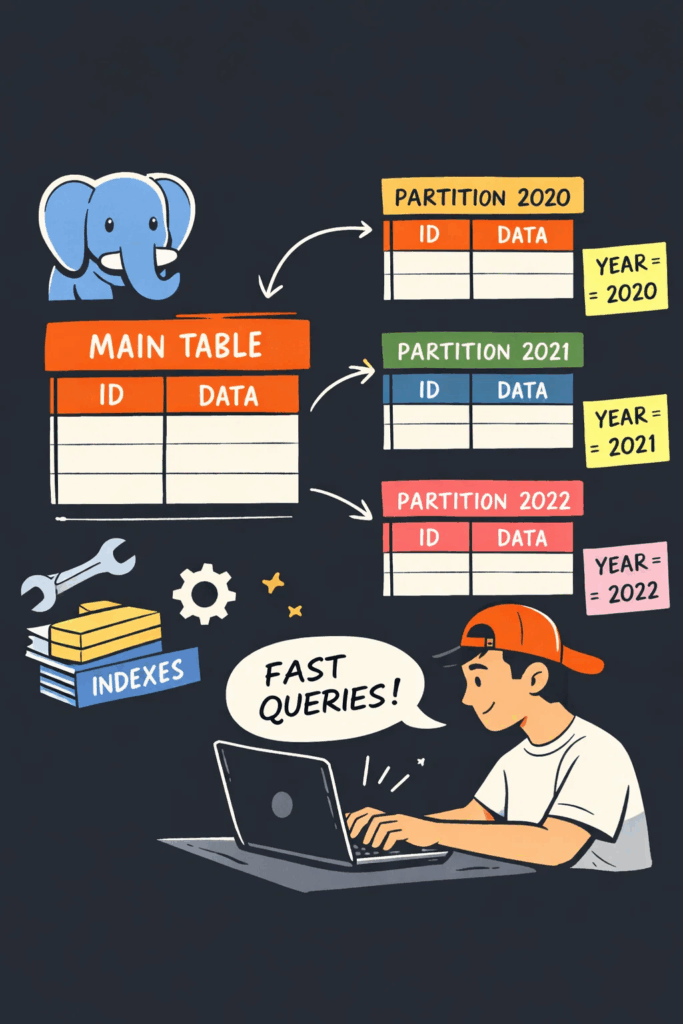
Table of Contents
1. What is a Partition Table in PostgreSQL?
A partitioned table is a logical table that is divided into smaller, independent physical partitions based on a partition key (e.g., date, region, or ID). PostgreSQL supports three core partitioning methods:
- Range Partitioning: Split data by a range of values (e.g., dates: 2024 Q1, 2024 Q2; IDs: 1–1000, 1001–2000).
- List Partitioning: Split data by predefined lists of values (e.g., regions: ‘North’, ‘South’, ‘East’, ‘West’).
- Hash Partitioning: Split data by a hash function of the partition key (e.g., distribute user IDs evenly across 4 partitions).
Prerequisites
- A running PostgreSQL instance (version 10+; newer versions have better partitioning support).
- Sufficient privileges (e.g.,
CREATE TABLE,ALTER TABLE; use a superuser likepostgresfor testing). - Basic understanding of PostgreSQL tables and SQL syntax.

2. Step-by-Step Guide to Creating Partition Tables
We’ll use range partitioning (the most common use case) with a sales table partitioned by sale_date (year-month) as the primary example. We’ll also cover list and hash partitioning briefly.
2.1 Step 1: Create the Partitioned Parent Table
First, define the parent table (logical table) and specify the partition method and partition key. The parent table itself stores no data—all data lives in the partitions.
Syntax for Range Partitioning
-- Create a partitioned parent table for sales data (range partition by sale_date)
CREATE TABLE sales (
    sale_id SERIAL,
    sale_date DATE NOT NULL,
    product_id INT NOT NULL,
    amount NUMERIC(10,2) NOT NULL,
    region VARCHAR(50)
) PARTITION BY RANGE (sale_date);
Key Explanations:
PARTITION BY RANGE (sale_date): Defines range partitioning on thesale_datecolumn (the partition key).- The parent table has the same schema as all partitions (columns, data types, constraints must match).
NOT NULLon the partition key (sale_date) is recommended (avoids invalid data that can’t be mapped to a partition).
2.2 Step 2: Create Partitions (Child Tables)
Next, create individual partitions (child tables) that map to specific ranges of the partition key. Partitions can be created as:
- Attached partitions: Explicitly linked to the parent table (recommended).
- Default partitions: Catch-all for data that doesn’t match any defined partition (optional).
Example: Create Monthly Partitions for 2024
-- Partition 1: Sales for January 2024
CREATE TABLE sales_2024_01
PARTITION OF sales
FOR VALUES FROM ('2024-01-01') TO ('2024-02-01');

-- Partition 2: Sales for February 2024
CREATE TABLE sales_2024_02
PARTITION OF sales
FOR VALUES FROM ('2024-02-01') TO ('2024-03-01');

-- Partition 3: Default partition (catches all other dates)
CREATE TABLE sales_default
PARTITION OF sales
DEFAULT;
Key Explanations:
PARTITION OF sales: Links the child table to the parentsalestable.FOR VALUES FROM (start) TO (end): Defines the range for the partition (PostgreSQL uses left-inclusive, right-exclusive ranges).- The default partition (
sales_default) ensures data not matching any monthly partition is still stored (avoidsERROR: no partition of relation "sales" found for row).
2.3 Step 3: Add Constraints (Optional but Recommended)
Add indexes, primary keys, or foreign keys to optimize queries and enforce data integrity. For partitioned tables:
See also: Mastering the Linux Command Line — Your Complete Free Training Guide
- Primary keys must include the partition key (PostgreSQL requirement).
- Indexes can be created on individual partitions or the parent table (PostgreSQL 11+ supports partitioned indexes).
-- Add a primary key to the parent table (includes partition key sale_date)
ALTER TABLE sales ADD CONSTRAINT pk_sales PRIMARY KEY (sale_id, sale_date);

-- Create an index on product_id for faster queries (partitioned index)
CREATE INDEX idx_sales_product_id ON sales (product_id);

-- Create a check constraint for the January 2024 partition (redundant but safe)
ALTER TABLE sales_2024_01 ADD CONSTRAINT chk_sales_2024_01
CHECK (sale_date >= '2024-01-01' AND sale_date < '2024-02-01');
2.4 Step 4: Verify the Partition Table
Check if the parent table and partitions are set up correctly using PostgreSQL system catalogs:
-- List partitioned tables in the current database
SELECT schemaname, tablename
FROM pg_tables
WHERE partitioned = 't';

-- List partitions for the sales table
SELECT inhrelid::regclass AS partition_name,
       pg_get_expr(inhrelid::regclass::pg_class.relpartbound, inhrelid) AS partition_bound
FROM pg_inherits
WHERE inhparent = 'sales'::regclass;
Sample Output:
 partition_name |         partition_bound
----------------+-------------------------------------------
 sales_2024_01  | FOR VALUES FROM ('2024-01-01') TO ('2024-02-01')
 sales_2024_02  | FOR VALUES FROM ('2024-02-01') TO ('2024-03-01')
 sales_default  | DEFAULT
2.5 Step 5: Insert and Query Data
Test the partition table by inserting data—PostgreSQL automatically routes data to the correct partition:
-- Insert sample data (routes to sales_2024_01)
INSERT INTO sales (sale_date, product_id, amount, region)
VALUES ('2024-01-15', 101, 499.99, 'North');

-- Insert data (routes to sales_default)
INSERT INTO sales (sale_date, product_id, amount, region)
VALUES ('2023-12-25', 102, 299.99, 'South');

-- Query data (PostgreSQL scans only relevant partitions)
SELECT * FROM sales WHERE sale_date BETWEEN '2024-01-01' AND '2024-01-31';
Verify Data Location:
-- Check which partition the data is stored in
SELECT tableoid::regclass AS partition, * FROM sales;
Sample Output:
  partition   | sale_id | sale_date  | product_id | amount  | region
--------------+---------+------------+------------+---------+--------
 sales_2024_01|       1 | 2024-01-15 |        101 | 499.99  | North
 sales_default|       2 | 2023-12-25 |        102 | 299.99  | South
3. Other Partitioning Methods
3.1 List Partitioning (By Region)
Use list partitioning to split data by predefined values (e.g., regions):
-- Parent table (list partition by region)
CREATE TABLE sales_list (
    sale_id SERIAL,
    sale_date DATE NOT NULL,
    product_id INT NOT NULL,
    amount NUMERIC(10,2) NOT NULL,
    region VARCHAR(50) NOT NULL
) PARTITION BY LIST (region);

-- Create partitions for specific regions
CREATE TABLE sales_list_north PARTITION OF sales_list FOR VALUES IN ('North');
CREATE TABLE sales_list_south PARTITION OF sales_list FOR VALUES IN ('South');
CREATE TABLE sales_list_other PARTITION OF sales_list DEFAULT;
3.2 Hash Partitioning (Even Distribution)
Use hash partitioning to distribute data evenly across partitions (e.g., for load balancing):
-- Parent table (hash partition by product_id, 4 partitions)
CREATE TABLE sales_hash (
    sale_id SERIAL,
    sale_date DATE NOT NULL,
    product_id INT NOT NULL,
    amount NUMERIC(10,2) NOT NULL
) PARTITION BY HASH (product_id);

-- Create 4 hash partitions
CREATE TABLE sales_hash_1 PARTITION OF sales_hash FOR VALUES WITH (MODULUS 4, REMAINDER 0);
CREATE TABLE sales_hash_2 PARTITION OF sales_hash FOR VALUES WITH (MODULUS 4, REMAINDER 1);
CREATE TABLE sales_hash_3 PARTITION OF sales_hash FOR VALUES WITH (MODULUS 4, REMAINDER 2);
CREATE TABLE sales_hash_4 PARTITION OF sales_hash FOR VALUES WITH (MODULUS 4, REMAINDER 3);
4. Managing Partitions
4.1 Add a New Partition
To add a new monthly partition (e.g., March 2024):
CREATE TABLE sales_2024_03
PARTITION OF sales
FOR VALUES FROM ('2024-03-01') TO ('2024-04-01');
4.2 Drop a Partition
To archive/delete an old partition (e.g., January 2024):
DROP TABLE sales_2024_01; -- Fast (no data scan)
4.3 Detach/Attach a Partition
Detach a partition to make it a standalone table (for maintenance):
ALTER TABLE sales DETACH PARTITION sales_2024_01;

-- Reattach the partition later
ALTER TABLE sales ATTACH PARTITION sales_2024_01
FOR VALUES FROM ('2024-01-01') TO ('2024-02-01');
5. Best Practices
- Choose the Right Partition Key: Use columns frequently used in
WHEREclauses (e.g.,sale_datefor time-range queries). Avoid low-cardinality keys (e.g., a boolean column) as this leads to unbalanced partitions. - Avoid Over-Partitioning: Too many small partitions (e.g., daily partitions for a small dataset) increase metadata overhead. Aim for partitions of 1GB–10GB in size.
- Index Smartly: Create indexes on partition keys and query filters (e.g.,
product_id). Use partitioned indexes instead of global indexes for better performance. - Use Default Partitions: Prevent insertion errors for unplanned data (but monitor the default partition to avoid it becoming too large).
- Test Performance: Partitioning only improves performance for large datasets (100k+ rows). For small tables, it may add unnecessary complexity.
6. Common Pitfalls to Avoid
- Forgetting the Partition Key in Primary Keys: PostgreSQL requires the partition key to be part of the primary key (to ensure uniqueness across partitions).
- Inserting Data Outside Partition Ranges (No Default Partition): This throws an error—always use a default partition for unplanned data.
- Ignoring Vacuum/Analyze: Run
ANALYZE sales;after creating partitions to update statistics for the query planner.
Summary
- Partition Table Basics: PostgreSQL partition tables split a logical parent table into physical child partitions using range, list, or hash methods, with the partition key as the core identifier.
- Core Creation Steps: Define a partitioned parent table with
PARTITION BY, create child partitions withPARTITION OF, add constraints/indexes, and verify the setup with system catalog queries. - Key Best Practices: Choose a high-cardinality partition key (e.g., date/ID), avoid over-partitioning, use default partitions for unplanned data, and keep partitions sized between 1GB–10GB for optimal performance.
By following this guide, you can effectively implement partition tables in PostgreSQL to scale large datasets, improve query speed, and simplify data management. Always test partitioning strategies with your actual dataset to ensure they align with your performance and maintenance needs.



