
Some ideas are hard to explain with text alone. Take something like SSH keys — an important concept in security, but tricky for beginners.
Instead of long paragraphs or intimidating diagrams, why not turn the topic into a set of doodle-style slides?
Table of Contents
Getting Started with Gemini
I’ve been experimenting with Google’s Nano Banana image model, and it’s surprisingly powerful for creating visuals.
Instead of needing drawing skills, you can just describe what you want — and the AI transforms your idea into doodle-style slides or artistic images in seconds.
To try it out:
- Head to gemini.google.com and start a new chat.
- Paste in one of the prompts I’ll share below.
- Alternatively, open aistudio.google.com, select “Generate Media”, and choose Nano Banana as your model.
In seconds, you’ll have colorful doodle-style slides ready to go.
The Prompt You Need
Here’s a ready-to-use prompt that will generate a whole set of doodle-style images for SSH keys (or any concept you want to teach):
Help me generate multiple 16:9 doodle-style images to explain the concept of "ssh key" to middle school students.
The images should have a consistent colorful, thick-pencil hand-drawn style,
be rich in information, feature English text,
use solid color backgrounds, have outlines around the cards,
and include uniform titles, similar to a PowerPoint presentation.
How It Works Step by Step
- Open Gemini → Head to gemini.google.com.
- Paste the Prompt → Drop in the text above.
- Add Context → You can request “4 slides” or specify topics like:
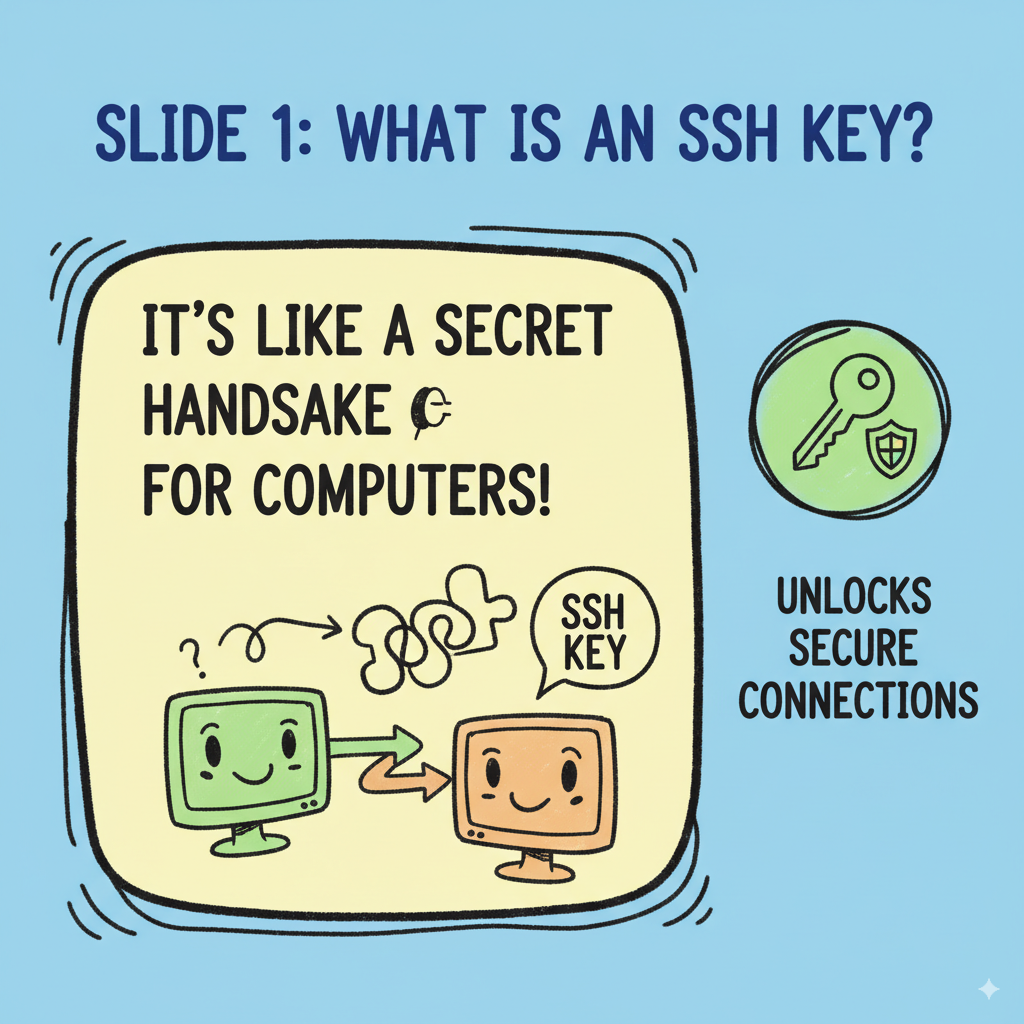
- Slide 1: What is an SSH key?
- Slide 2: How SSH keys are generated
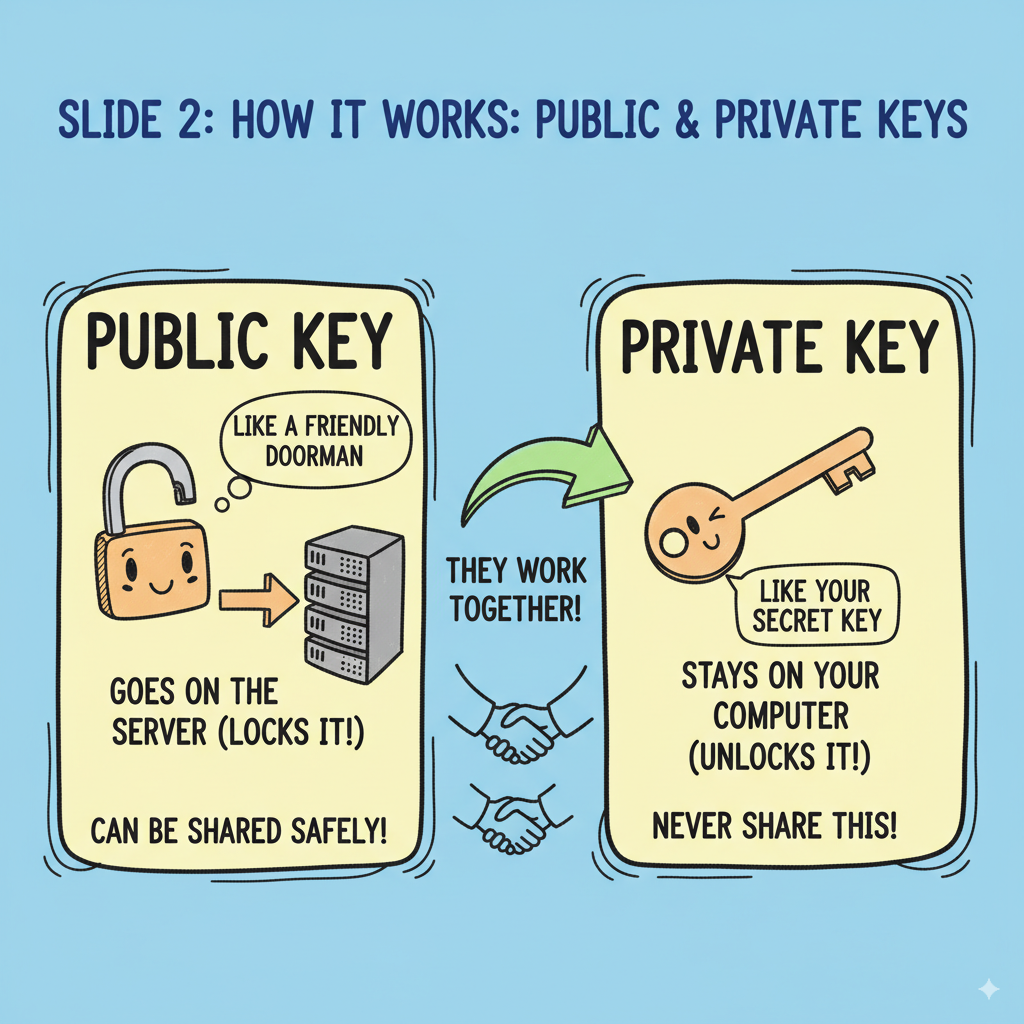
- Slide 3: Public key vs private key
- Slide 4: Why SSH keys are safer than passwords
- Review & Refine → Ask Gemini to adjust colors, add playful icons
See also: Mastering the Linux Command Line — Your Complete Free Training Guide
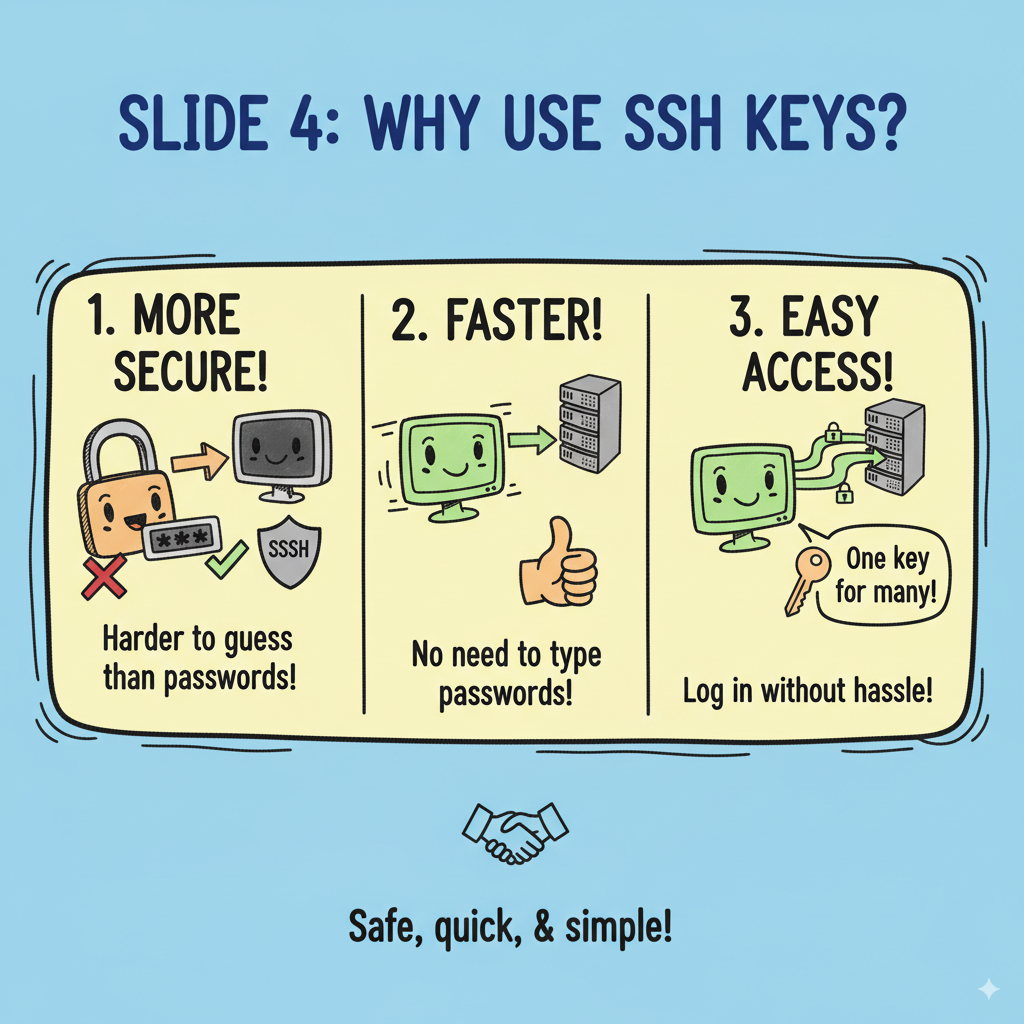
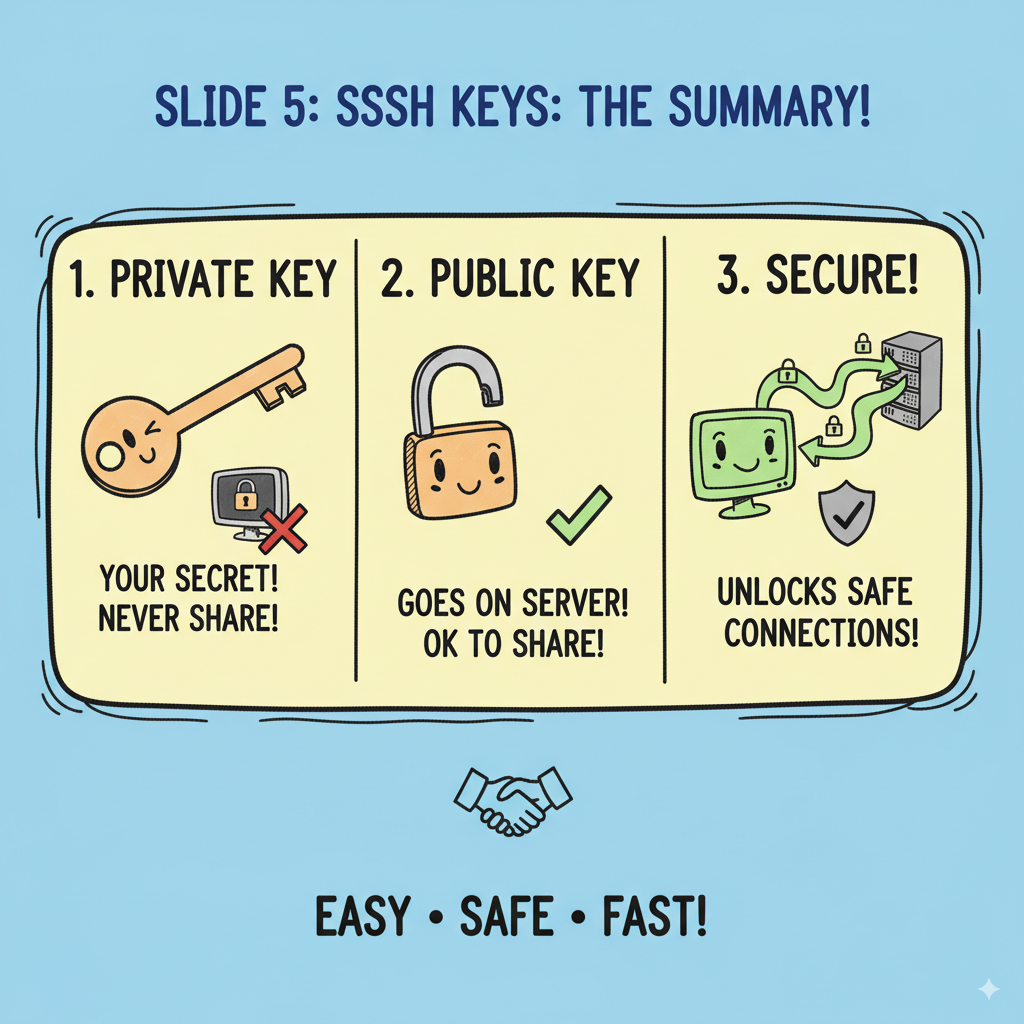
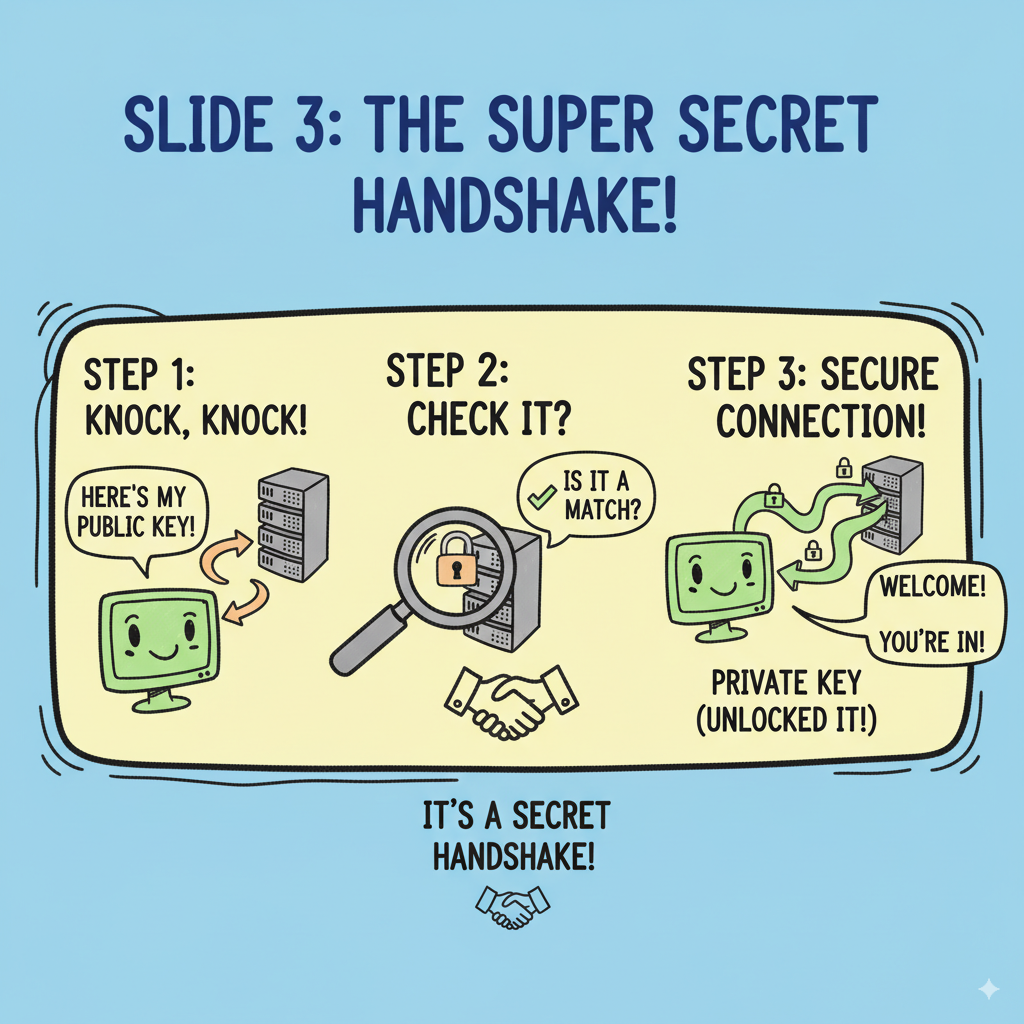
The images Gemini produced feel like they came straight out of a hand-drawn classroom presentation. Each slide uses bold colors, thick pencil lines, and clear titles.
The result is not just pretty pictures, but a set of visual teaching aids that break down an abstract technical concept into something easy and memorable.
Example Expansion Prompts
Want to go beyond SSH keys? Try swapping the topic in the same template:
- “Explain the Solar System to 5th graders”
- “Teach how the Internet works to beginners”
- “Show how photosynthesis happens step by step”
- “Illustrate the life cycle of a butterfly”
- “Explain how blockchains work in simple terms”
Each one will generate a mini slide deck of doodle-style infographics.


What’s striking about the results is that these doodle-style images don’t just look nice — they actually explain the term on their own. Each slide makes the abstract concept instantly understandable.
Compared with many other AI models that only create decorative or abstract art, Gemini shows a more intelligent sense of context.
It doesn’t just draw; it understands the meaning behind the request. That’s why the generated images feel like teaching material rather than random sketches — they’re accurate, consistent, and directly tied to the idea you wanted to explain.
Who Can Use This Tech
You don’t need to be an artist to get value out of Gemini. In fact, it’s built for everyday people:
- If you’re a teacher → you can turn tough lessons into doodle-style slides your students will actually pay attention to.
- If you’re a content creator → you can whip up quick infographics or social posts that look polished, without spending hours in design tools.
- If you’re a student → you can make class projects more fun (and way easier to understand) by turning your notes into visuals.
- If you’re on a startup team → you can create pitch deck visuals that stand out, even if you don’t have a designer on your team.
Basically, if you’ve ever thought, “I wish I had a quick way to make this idea visual” — Gemini has your back.
Turning complex topics into doodle-style slides makes them fun, visual, and approachable. Whether you’re teaching kids, onboarding new hires, or writing a blog post, Gemini helps you design classroom-style slides in seconds.
Next time you need to explain something complicated, don’t just write paragraphs — doodle it out. 🎨🖍️




Great. This is a very interesting way to explain stuff. Thanks for sharing. I will try it soon.